
Machine Vision Intelligent System Suite
Visual Document & OCR
Most factories digitised their systems before they digitised their paper. Orders, certificates, inspection records and gauge readings still arrive as paper, as PDFs, or as a photograph someone took on a phone — and somebody types them in again.
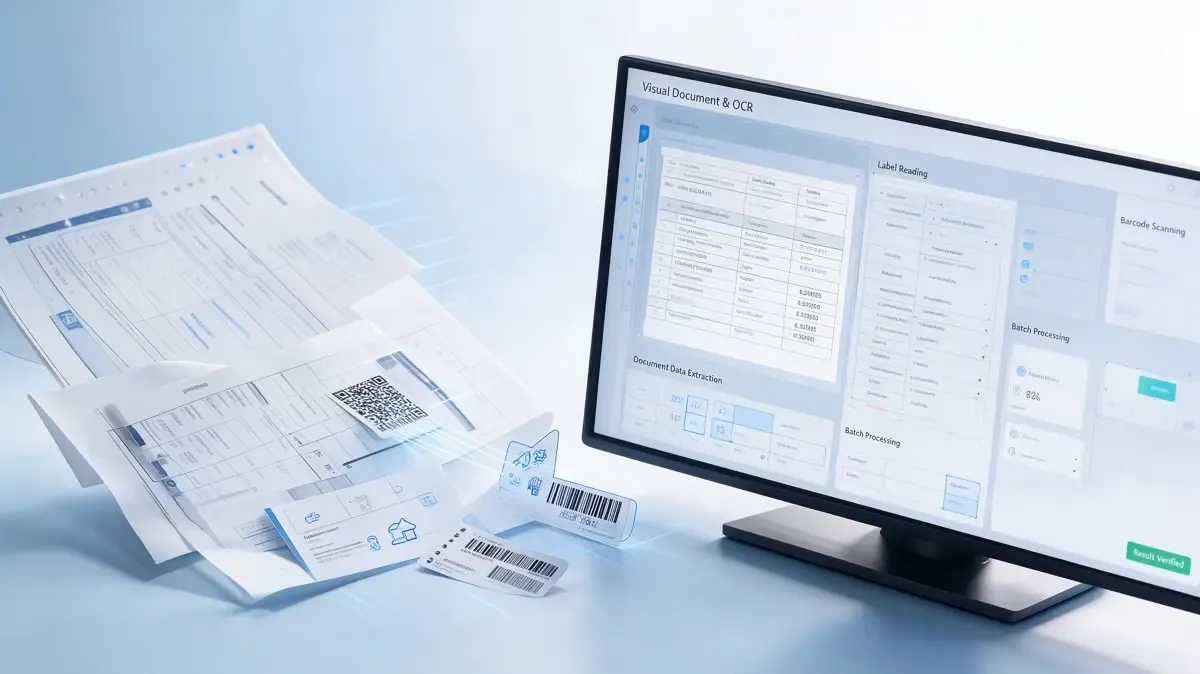
Visual Document & OCR reads what is on the page: printed text, handwriting, tables, marks and stamps, barcodes and labels, dial and digital readings. It turns that into named fields, checks them against rules you set, and delivers them to the systems that use them.
Reading is the easy part to claim and the hard part to trust. Every result carries a confidence value, results below the threshold you set go to a person, and the original image stays attached to the number it produced.
OCR gives you characters. What you need is fields.
What it is
Two kinds of input. Documents on one side — delivery notes, certificates, inspection records, contracts, drawings. Instrument faces and plates on the other — dials, digital displays, nameplates, labels and codes.
It reads what is actually on the page. Printed text, handwriting, tables, stamps and barcodes, including pages that arrived skewed, creased, unevenly lit, or photographed at an angle.
Output is named fields, not a block of text. Each value comes back with a name, a unit, a type and a confidence value — not something someone has to read through to find what matters.
Fields are checked, not just read. Against rules you set: does this order exist, does this quantity exceed what was ordered, is this certificate still in date, is this reading within range.
Anything unclear waits for a person. Results below the threshold go to a reviewer with the source image and the reading side by side, rather than being written through.
Vision underneath is handled elsewhere. Models and algorithms are provided and managed by the RUIYI Visual CAST platform; this application is about documents, readings and what happens after.
What gets in the way today
The paper that never went away. Systems changed; the documents did not.
Supplier documents still travel with the goods. Delivery notes, certificates of conformity, material test certificates, packing lists.
Records are still written by hand at the line, at the dock and during rounds. And typed in later, by somebody who was not there.
Readings are still taken by walking to the gauge. And copying the number onto a sheet that then has to be copied again.
Reports exist as paper. Or as a PDF that is a photograph of paper, which is the same problem with a smaller footprint.
Typing it in again. The same document enters more than one system.
The same values get keyed into separate systems. And the copies drift apart from the day they are made.
Keying is slow when volume is high and wrong when volume is high. The two failure modes arrive together.
Data exists only after a person has walked the whole process. So the system always reflects yesterday.
Recognition is not usable data. A page of text is not a set of values.
Recognised text still has to be read by someone. To find the few values that actually matter on the page.
Layouts change. Between suppliers, between revisions, and between a scan and a photograph — and fixed templates break on all three.
Tables run across pages, cells merge, stamps sit on the numbers. And when a reading is wrong, nothing flags it.
Trust and traceability. The number is there; its origin is not.
A figure in the system cannot be traced back to the image it came from. So it cannot be checked without redoing the work.
When an audit asks where a value came from, the answer is a person's memory. Which is not an answer an audit accepts.
Paper gets lost, fades and cannot be searched. Finding one certificate means knowing which box it is in.
Nobody knows how much of what was keyed in was ever checked. Because checking leaves no record of its own.
What it reads
Documents on one side, instrument faces and plates on the other. What changes between them is what gets taken from the image.
What comes in | What is taken from it |
Delivery notes, packing lists, goods-in paperwork | Supplier, part number, quantity, batch or lot, date |
Certificates and conformity documents | Standard, grade, heat or batch number, test values, expiry |
Inspection and test records, handwritten logs | Recorded values, signatures, pass or fail marks, timestamps |
Invoices, contracts and commercial documents | Amounts, dates, parties, terms, stamps |
Drawings and technical files | Title block and item list, revision, notes |
Labels, nameplates, barcodes and matrix codes | Serial numbers, part numbers, asset tags, encoded identifiers |
Instrument faces — dial, digital and segmented displays | The reading, the unit, and the instrument it came from |
What the software produces is a reading with a confidence value, not a verified fact. It says what the characters appear to be and how sure it is. A person sets the threshold, a person reviews what falls below it, and a person is accountable for what is committed to the records. Handwriting, low-contrast print, damaged pages and instruments in poor light all reduce confidence, and the system is built on the assumption that some readings will need a person. The original image stays attached to every field, so any number can be traced back to what it was read from.
What you get
Where it is used
The same pipeline, pointed at different inputs. What changes is which documents arrive, which values matter, and where the results go.
Where | What gets read |
Goods-in and supplier documents | Delivery notes, certificates and packing lists checked before the goods are put away |
Quality records and test reports | Inspection records, laboratory reports and handwritten logs captured into the quality system |
Equipment rounds and instrument reading | Dial, digital and segmented displays read by camera into maintenance and history records |
Engineering drawings and technical files | Title blocks, item lists and revisions captured for change control and archive |
Back-file scanning and archive | Historical paper converted into searchable records, with the image kept alongside |
Contract, compliance and certificate control | Key values, dates and stamps extracted and checked, with expiry and missing marks flagged |
Capabilities
Grouped by what they do. Anything concerning models, training and interfaces underneath is handled by the RUIYI Visual CAST platform.
Capability | What it means |
Image pre-processing | Remove noise, correct skew and perspective, detect and correct orientation, and deal with moiré and uneven light before anything is read. |
Printed text recognition | Read printed characters across documents, labels and screens. |
Handwriting recognition | Read handwritten entries on forms and logs, with confidence reported per field. |
Table recognition | Read tables including merged cells and content that continues across pages. |
Layout analysis and field extraction | Locate the parts of a page that matter and take named values from them rather than returning raw text. |
Template handling | Apply a template where the page matches one, and fall back to layout analysis where it does not. |
Barcode and matrix code reading | Read barcodes and two-dimensional codes on labels, nameplates and documents. |
Label and nameplate reading | Read asset tags, serial numbers and rating plates, including worn or low-contrast surfaces. |
Instrument reading | Read dial, digital and segmented displays, and record the unit and the instrument the reading came from. |
Stamp and mark detection | Detect whether a stamp or seal is present and where, and flag pages where one appears to be missing. |
Confidence values | Report confidence per field so downstream steps can decide what needs a person. |
Rules and cross-checks | Test readings against reference data — order exists, quantity within tolerance, certificate in date, value within range. |
Review queue | Route anything below threshold to a person, showing source image and reading side by side, with the decision recorded. |
Searchable output | Produce searchable PDF and structured output so a page can be found by what it says. |
Document comparison | Compare two versions of a document and show what changed. |
Language coverage | Work across the languages that appear in your documents and your supply chain. |
Delivery to business systems | Hand results to ERP, MES, QMS, WMS or archive systems through APIs, files or direct interfaces. |
Deployment choice | Run in the cloud, on your own servers, or close to the scanners and cameras — the choice usually depends on where documents may be processed and stored. |
Model training and adaptation | Train on your own document types and instrument faces; models are managed through the RUIYI Visual CAST platform. |
Access and retention | Decide who may submit, view, correct and export, how long images and results are kept, and log every correction against the record it changed. |
From image to trusted field
Capture. Documents arrive by scan, upload, email or photograph; instruments are captured by fixed camera or by a handheld device during rounds.
Prepare. Each image is cleaned up first — noise removed, orientation and skew corrected, perspective straightened.
Read. Text, tables, handwriting, codes and displays are read, and every value comes back with a confidence figure.
Structure. Readings are mapped to named fields with units and types, using a template where one fits and layout analysis where it does not.
Check. Fields are tested against rules and reference data; out-of-range, missing and inconsistent values are flagged.
Review and deliver. Anything below the confidence threshold waits for a person. Everything else is delivered to the systems that use it, with the source image attached to the record.
Deployment, integration and data handling
Where it runs. In the cloud, on your own servers, or close to the capture device. Documents that may not leave the site, or the country, usually decide this.
How it connects. Results are delivered through APIs, files or direct interfaces into ERP, MES, QMS, WMS and archive systems. Models and algorithms underneath are managed by the RUIYI Visual CAST platform.
What it starts from. Existing scanners, multifunction devices, mobile cameras and fixed cameras. It does not require replacing them.
Who sees what. Submission, viewing, correction and export are controlled by role, and every correction is logged against the record it changed.
What is local. Retention periods, access to documents containing personal data, and any sector-specific rules depend on the jurisdiction and the customer's own policy. Configuration is set to fit them; the system does not make those decisions.